Mastering the Model Context Protocol (MCP)
Mastering the Model Context Protocol (MCP)
What is MCP?
The Model Context Protocol (MCP) is an open standard that enables developers to build a secure, two-way connection between AI models (like Claude, Gemini, or GPT-4) and their data/tools.
In the current AI landscape, every integration is a "snowflake." If you want an AI to read your Google Calendar, you write custom code. If you want it to query a SQL database, you write more custom code. MCP replaces this fragmented approach with a universal "plug-and-play" architecture.
Why Use It?
- Decoupling: You don't need to rewrite your data connectors every time a new LLM is released.
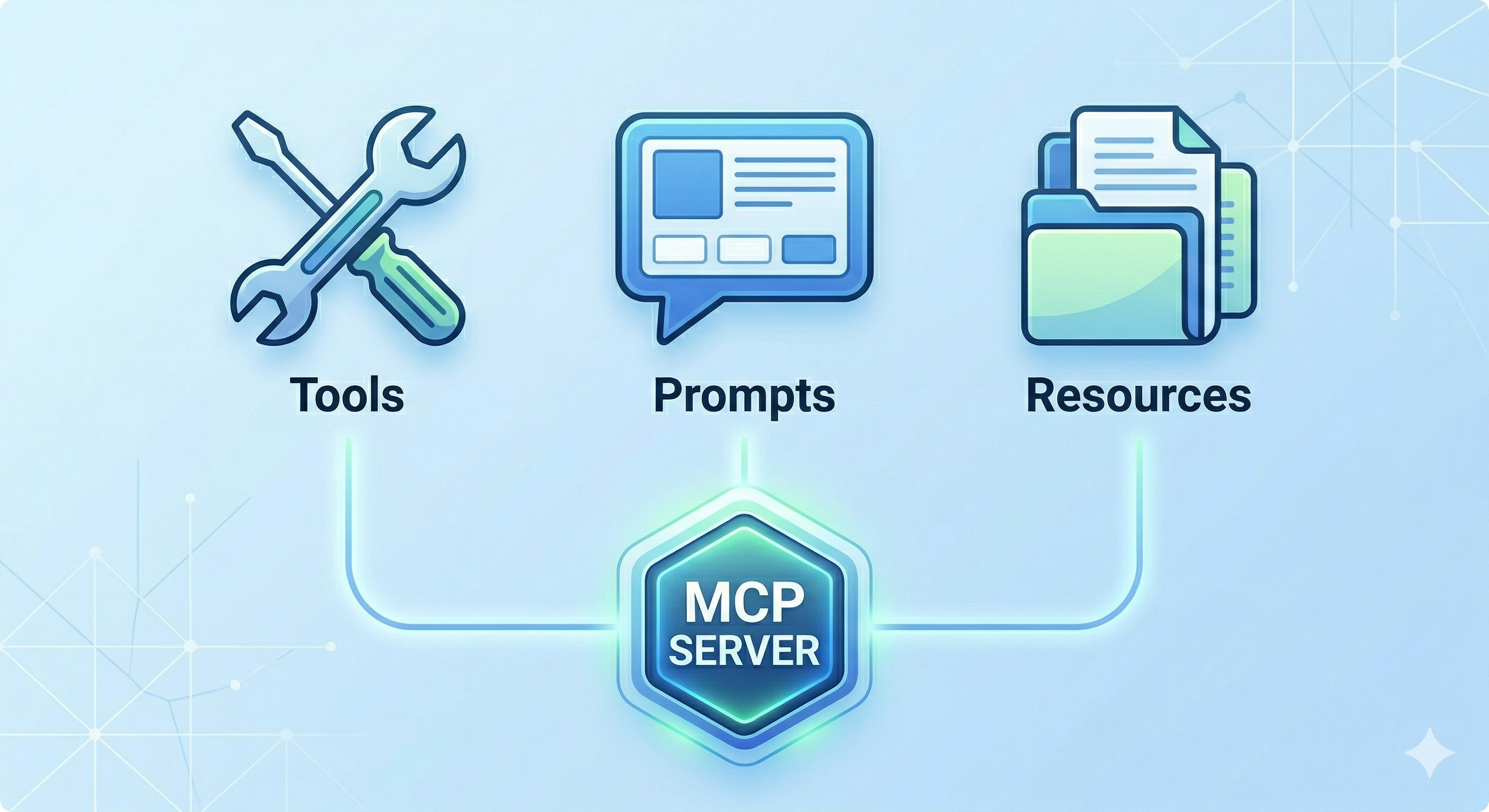
- Standardization: Use a single protocol to expose tools, prompts, and resources.
- Security: Servers only expose what you explicitly allow, providing a clear boundary between the LLM and your local/private data.
The Architecture: Before vs. After MCP
Previously, AI applications were tightly coupled. The application logic had to handle API calls for the LLM, authentication for the data source, and the specific formatting required to bridge the two.
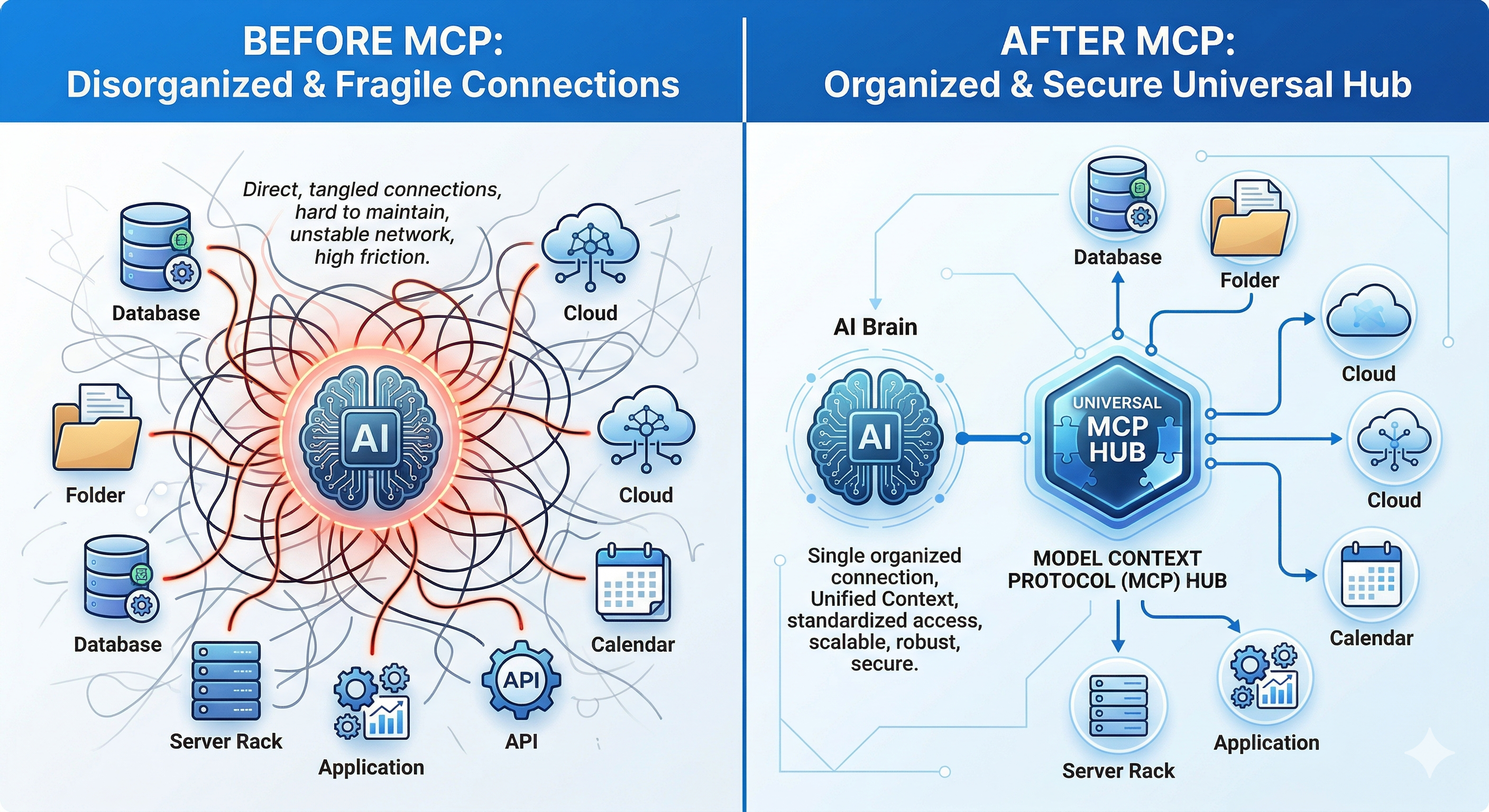
The New Paradigm
- MCP Client: The "host" application (e.g., Claude Desktop, or my custom MCP-Chat-CLI). It maintains the connection and manages the LLM's access to the protocol.
- MCP Server: A lightweight service that exposes specific capabilities (data, functions, or templates) via the MCP standard.
- Transport Layer: Usually handled via Standard Input/Output (stdio) for local servers or HTTP/SSE for remote ones.
Core Primitives: Tools, Prompts, and Resources
The MCP SDK allows us to expose three primary types of interfaces to the LLM:
| Primitive | Description | My Project Implementation |
|---|---|---|
| Tools | Executable functions the LLM can call to perform actions (e.g., "Search Web"). | Internal logic for processing LLM responses. |
| Prompts | Pre-defined templates for specific tasks that the LLM can "discover." | /format for code styling and /summarize for quick digests. |
| Resources | Static or dynamic data (text, images, files) provided to the LLM as context. | constant docs and sample datasets stored locally. |
Hands-on: Building MCP-Chat-CLI
I built a CLI-based AI chatting system to test these concepts. The goal was to move beyond a simple API wrapper and create a system where the AI understands the "environment" it lives in.
The Stack
- Language: Python / Node.js (via MCP SDK)
- LLM Integration: Flexible (supports Gemini, OpenAI, and Claude)
- Features:
- Prompt Library: Using the
/formatcommand to trigger structured output templates. - Resource Management: The system can pull in specific local documents as context without the user needing to copy-paste.
- Prompt Library: Using the
How it fits in the LLM Workflow
When I call /summarize, the MCP Client (the CLI) fetches the prompt template from the MCP Server (the backend logic). It then injects the selected Resources (the documents) into the context window of the LLM and executes the request.
This creates a seamless, "local-first" experience where the LLM feels like it has a native understanding of my file system and preferred workflows.
Motivation for Exploration
The Model Context Protocol isn't just about making things easier for developers; it's about building Agentic Workflows. When every database, API, and local folder has an MCP Server, we stop building "Chatbots" and start building "Operating Systems for AI."
If you are building LLM apps, stop writing one-off integration scripts. Build an MCP Server instead. Your future self (and your AI agents) will thank you.
I completed the full Anthropic course and implemented the MCP-Chat-CLI as a sandbox to experiment with these concepts. And I grabbed this certificate to commemorate the milestone: MCP Certificate) My next step would be in the world of Agentic Workflows: creating a system where the LLM can autonomously discover and utilize new tools and resources as they become available, without needing manual updates to the codebase. This is where the true power of MCP will shine, enabling AI agents to evolve and adapt in real-time.
Key Takeaways
- MCP is the Future: If you're building LLM applications, adopting MCP will save you time and future-proof your integrations.
- Decoupling is Key: Separating the LLM from the data/tools it accesses creates a more modular and maintainable architecture.
- Agentic Workflows: The real power of MCP will be realized when we can create systems that allow AI agents to autonomously discover and utilize new tools and resources.