Managing Multiple Active Branches with Git Worktrees
Managing Multiple Active Branches with Git Worktrees
The Context
The classic Git workflow works well until you need to do two things at once. You can only check out one branch in a single working directory at a time, and that creates a real bottleneck when you're deep in a feature branch and an urgent bug report lands on your desk.
That usually means one of three painful options:
- stash your half-finished work,
- commit a WIP commit,
- or constantly context-switch branches and reinstall dependencies.
For a project like a portfolio or a dev OS where I may have a local Next.js app running on one branch while trying to debug a production issue on another, this friction becomes a real productivity problem.
The Problem with a Single Working Directory
The default Git model assumes a single checked-out state per repo. That is simple, but it becomes limiting when you have:
- a long-running feature branch with an active dev server,
- a hotfix branch that needs urgent attention,
- multiple parallel AI-assisted tasks or experiments,
- or background services tied to a specific branch state.
This is where git worktree changes the mental model completely.
What is a Git Worktree?
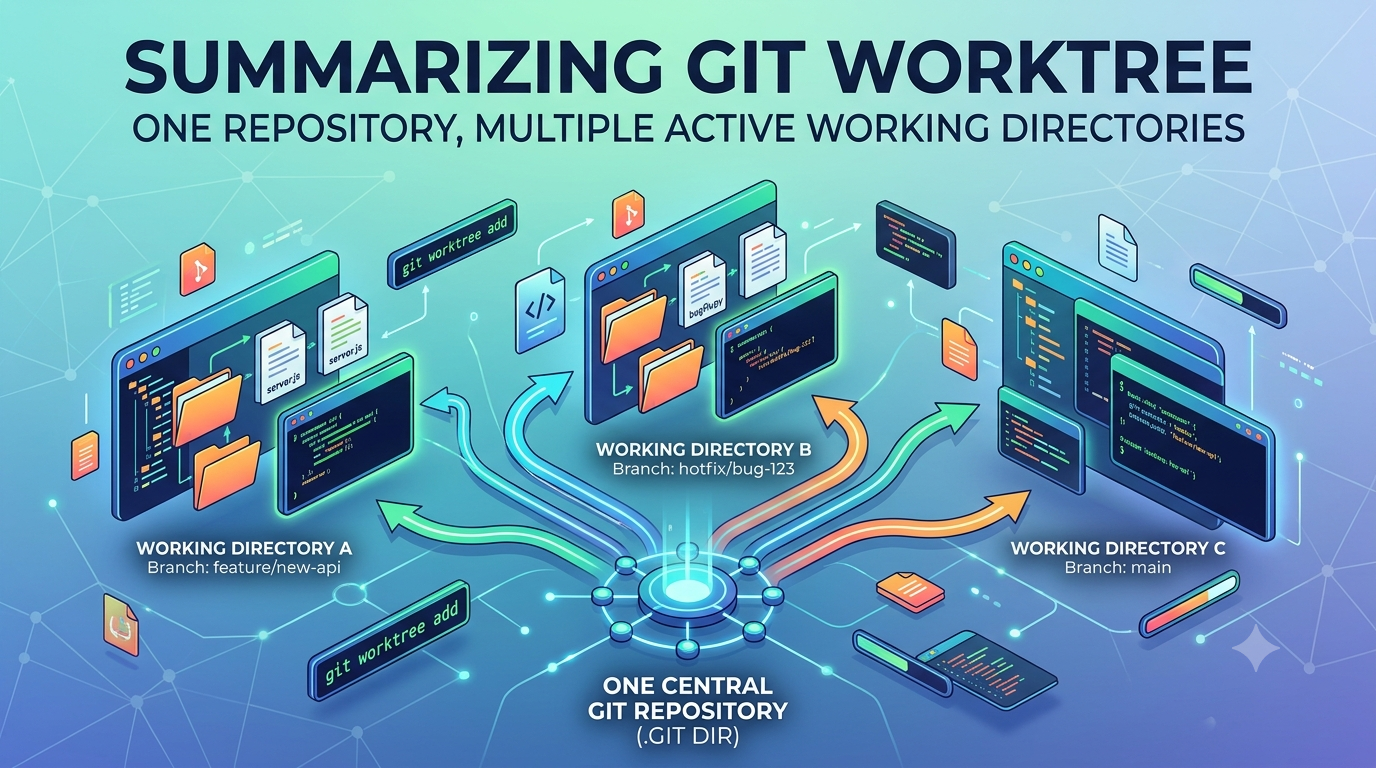
A Git worktree lets a single repository have multiple working directories at the same time. Instead of changing branches inside one folder, you attach a second directory to the same repository and check out a different branch there.
Both directories share the same underlying Git object database. That means the repo history, refs, and metadata stay centralized while your files live in separate filesystem locations.
This is different from cloning the repo again. You do not create a duplicate repository; you create a linked working directory attached to the same .git store.
Why It Helps
This is especially useful when working on:
- long-lived feature work,
- urgent bug fixes,
- side-by-side experiments,
- or multiple development environments without disturbing active servers.
In practice, git worktree lets me keep a feature branch running in one directory and jump to a clean main or hotfix branch in another without stashing anything or losing the current work state.
Essential Commands
The commands are simple and memorable:
git worktree add <path> <branch>: creates a new linked worktree and checks out the given branch.git worktree add -b <new-branch> <path>: creates a new branch and checks it out in the new worktree.git worktree list: shows all active worktrees and the branch each one is using.git worktree remove <path>: removes the linked worktree cleanly.git worktree prune: cleans up metadata for worktrees deleted manually from the filesystem.
A Real Example
Imagine I am working on a portfolio project in a feature branch called feature/api-decoupling.
# Current repo: ~/dev/portfolio-os
# Branch: feature/api-decoupling

# Need a quick hotfix on main without disturbing the feature work
git worktree add ../portfolio-hotfix main

# Now move into the new directory
cd ../portfolio-hotfix

# Fix and commit the urgent issue
git commit -am "fix: patch critical MDX rendering bug"
git push origin main

# Return to the original project folder
cd ../portfolio-os

# Clean up the temporary worktree when finished
git worktree remove ../portfolio-hotfix
The key idea here is that my original feature directory remains untouched. My local dev server, uncommitted work, and mental state stay exactly where they are.
What Makes This Better Than Stashing?
Stashing is useful, but it becomes fragile when the work is large or when you need to keep multiple contexts alive at once. git worktree avoids those interruptions by keeping each branch in its own directory.
This means:
- no need to stash half-done work,
- no need to lose your active server state,
- no need to rebuild the whole environment just to switch branches,
- and no need to do a full git clone just to test another branch.
When I Use It
I reached for git worktree when I was juggling a development workflow involving:
- a feature branch for API decoupling,
- a hotfix branch for production issues,
- and a local environment that was sensitive to branch state.
Instead of freezing progress and switching contexts, I could keep the feature branch stable while working on an unrelated fix in a second directory.
Key Takeaways
git worktreeis a filesystem-level solution to a Git branching problem.- It lets you keep multiple branches active at the same time without merging or stashing.
- It is perfect for parallel development, hotfixes, and long-running feature work.
- It reduces context-switching and keeps local environments isolated.
In one sentence: Git tracks the history; git worktree helps you manage your working directories without breaking your flow.